For founders, recruiters & BD teams

Personalized LinkedIn outreach, on autopilot.

A desktop app that runs targeted, AI-personalized LinkedIn campaigns using your own browser session. Everything executes locally — your cookies stay on your machine.

Invite-only · Magic-link sign-in (no passwords) · New here? Contact the creator for an invite.

LinkedIn Automation dashboard screenshot placeholder

Why run outreach on your own machine?

Cloud-based LinkedIn tools get accounts flagged. This one doesn't exist to LinkedIn — it's just you, in your browser.

🔒

Your session stays local

Your LinkedIn cookies and contact list never leave your machine. No server to compromise, no cloud IP to fingerprint.

AI-personalized at scale

Generate message drafts per-lead from a CSV or search. Review every message before it sends — no auto-blast.

⚙️

Configurable flows

Connection, follow-up, message, search-and-engage — compose the steps you want with per-campaign daily caps.

📊

Local analytics

Response rates, acceptance rates, per-template A/B — all computed from your local SQLite database.

☁️

Optional cloud sync

Turn on end-to-end-encrypted sync to roam between machines. Off by default.

🧩

Bring your own AI

Use our managed keys or plug in your own OpenRouter / OpenAI / Anthropic credentials.

Up and running in three steps

From clicking "download" to sending your first personalized message — usually under ten minutes.

1

Download the app

Grab the installer for Windows, macOS, or Linux from the download page.

2

Sign in with one click

Enter your email, open the magic link, and the app connects to your account. No passwords.

3

Upload your list, start a flow

Drop in a CSV, pick a template, set daily caps. Watch the built-in browser execute while you work.

LinkedIn Automation flow editor placeholder

Composable flows, reviewable output

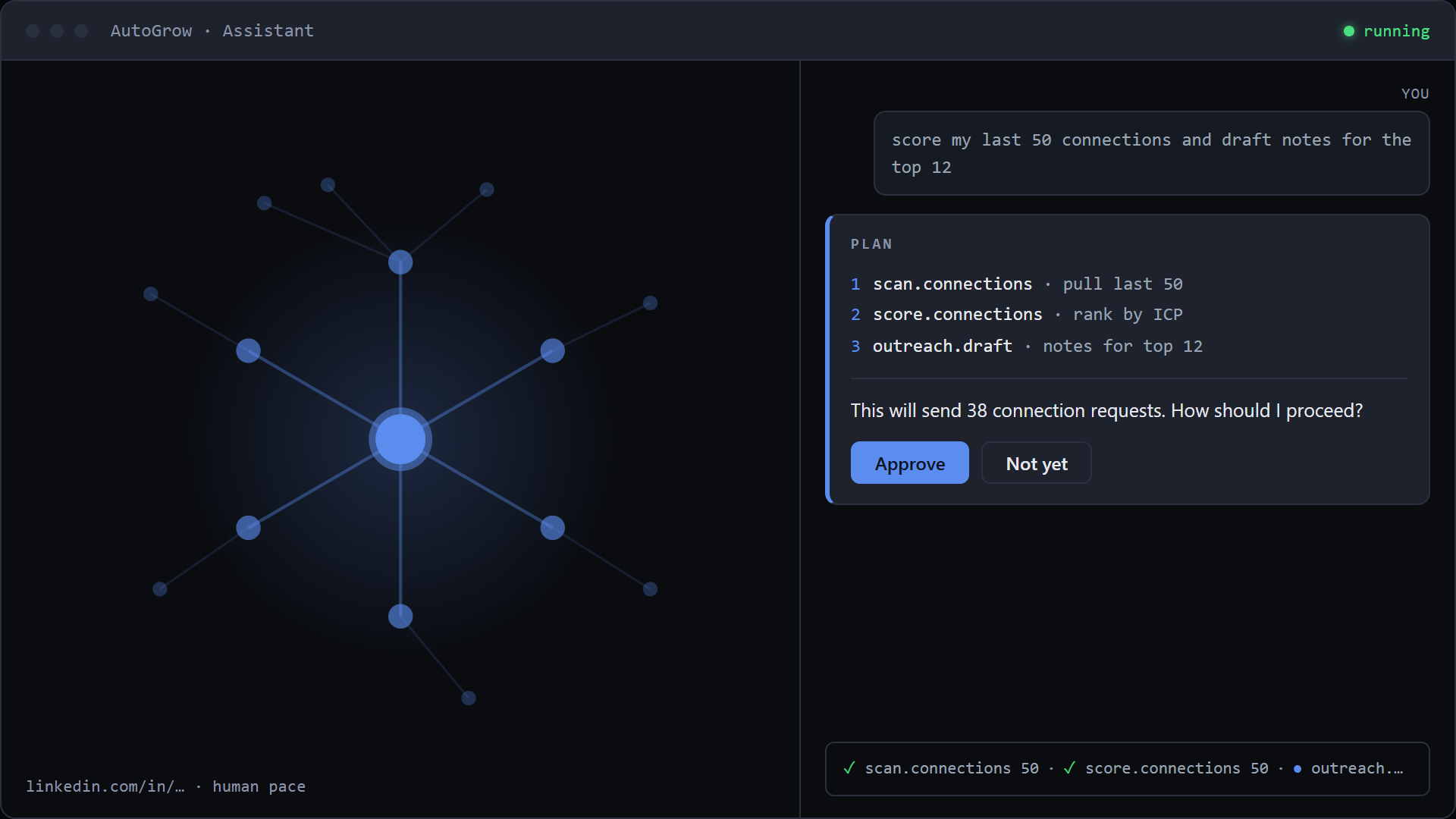
Every flow is a graph of steps — search, connect, wait, message, scrape. AI-drafted messages land in a queue you can edit before they send. When something looks off, you see the actual LinkedIn page the app was looking at.

Got an invite link?

Just open it — the link creates your account and signs you in automatically.

Invite-only.

This product isn't open for self-serve signup. If you believe you should have access, contact the creator for an invite — once added, your sign-in link arrives by email.

I already have an account